Every kind of request
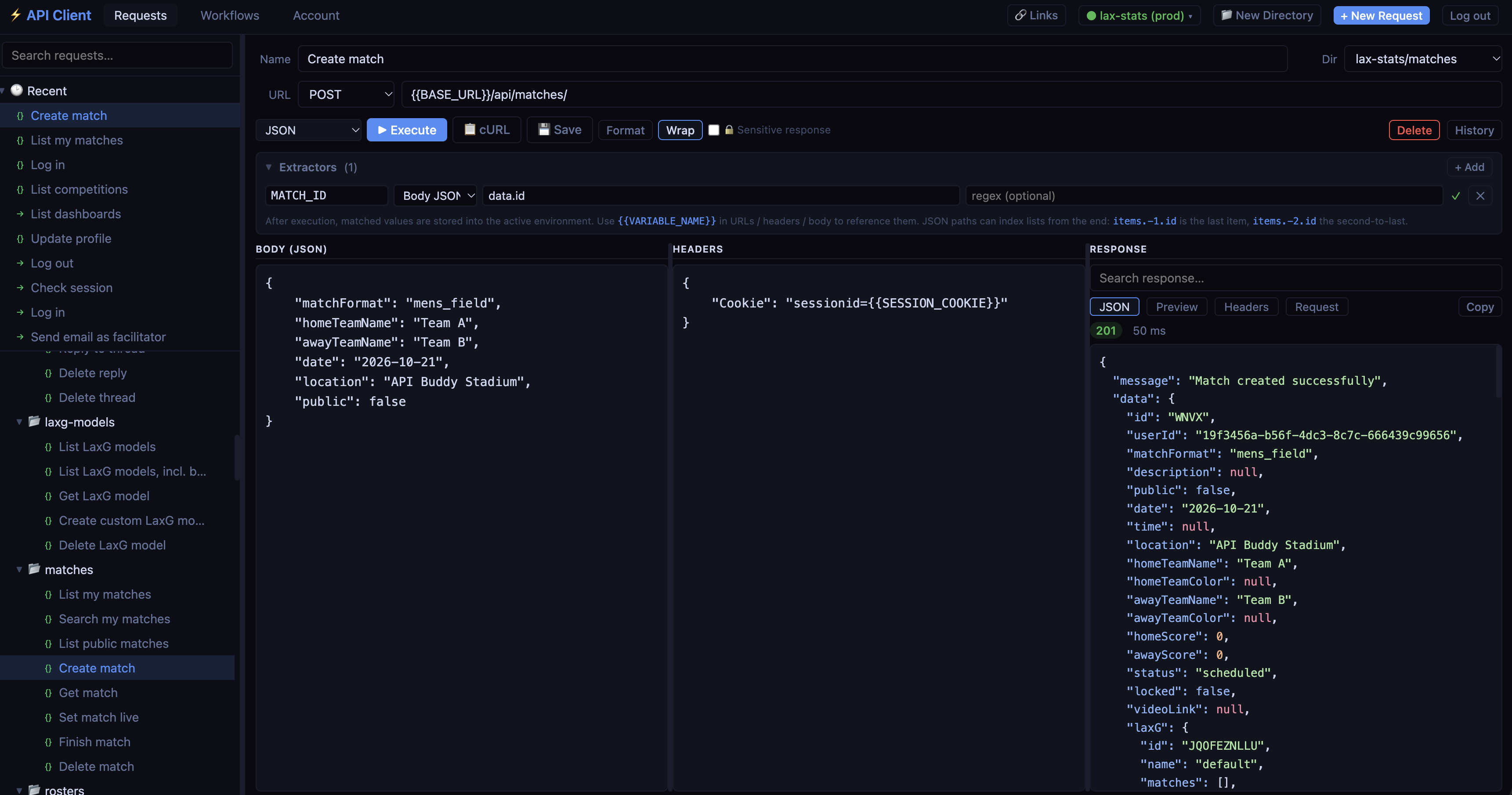
REST and GraphQL over HTTP, WebSockets, and GraphQL subscriptions over WebSocket - with JSON, plain-text, form-data and file-upload bodies.
REST · GraphQL · WebSockets
Build and send API requests from your browser, chain them into workflows, and schedule them to run on their own - every few minutes, every Monday, or on any cron expression. Nothing to install.
Features
A fast, focused API client for testing and debugging - with the automation built in, not bolted on.
REST and GraphQL over HTTP, WebSockets, and GraphQL subscriptions over WebSocket - with JSON, plain-text, form-data and file-upload bodies.
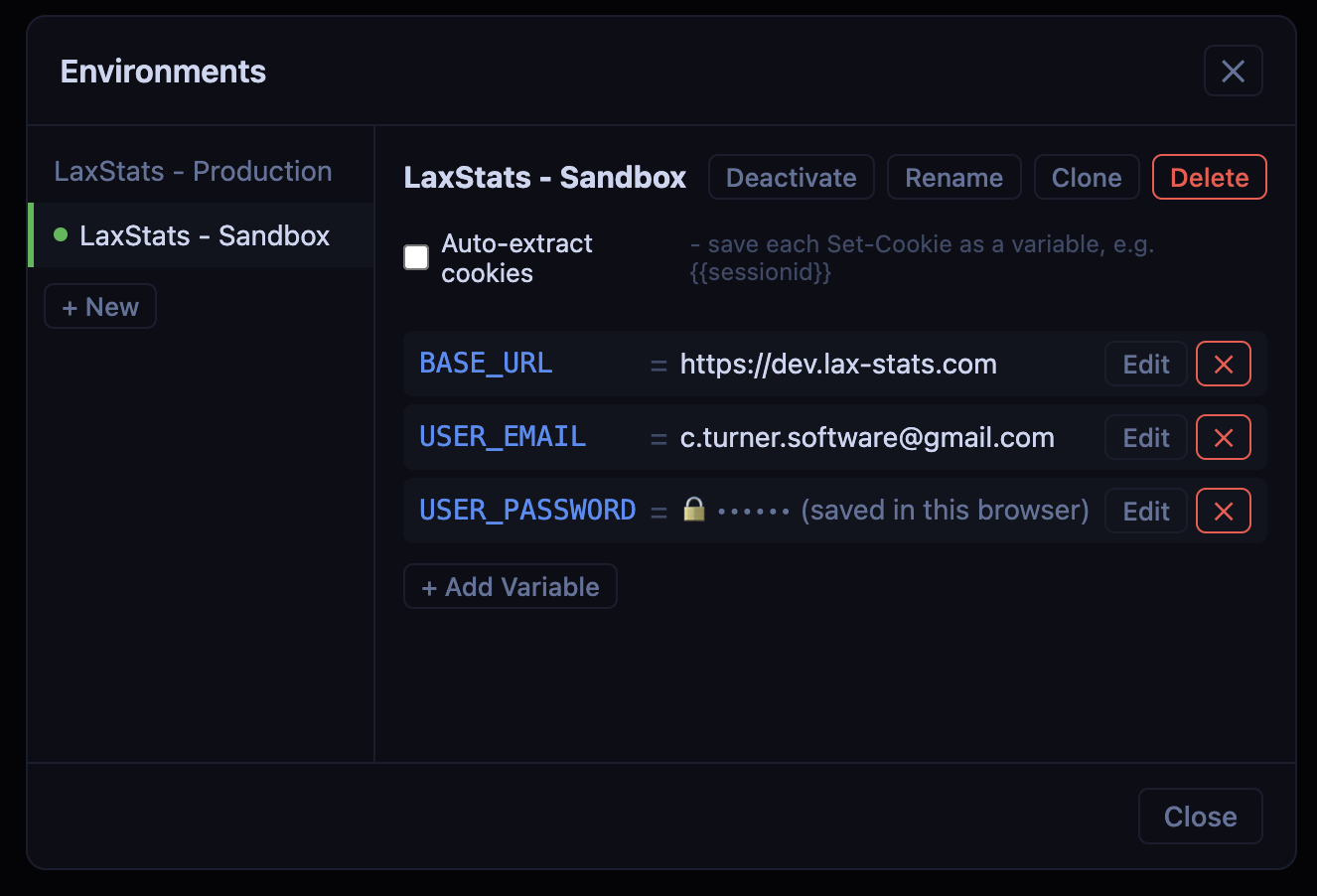
Write {{BASE_URL}} once, then switch between local, staging and production in a click. Clone an environment to start a new one.
Pull a token, an ID or anything else out of a response - by JSON path, header or regex - and use it in the next request automatically.
The last ten responses of every saved request, kept for you - so "what did it return earlier?" is one click away.
Folders and sub-folders, drag-and-drop ordering, search, and your most recent requests always at the top.
Sensitive variables are asked for when you send, never saved, and blanked out of history and responses.
Bring in an OpenAPI or Swagger spec - upload it, paste it or link to it - and every endpoint becomes a ready-to-send request, in folders, with its environment set up.
Drop {{$uuid}}, {{$timestamp}} or {{$isoDate}} into any request for a fresh value every time it's sent - no scripting needed.
Switch on cookie saving for an environment and every cookie a response sets becomes a variable - log in once, and the session is ready for your next request.
Workflows
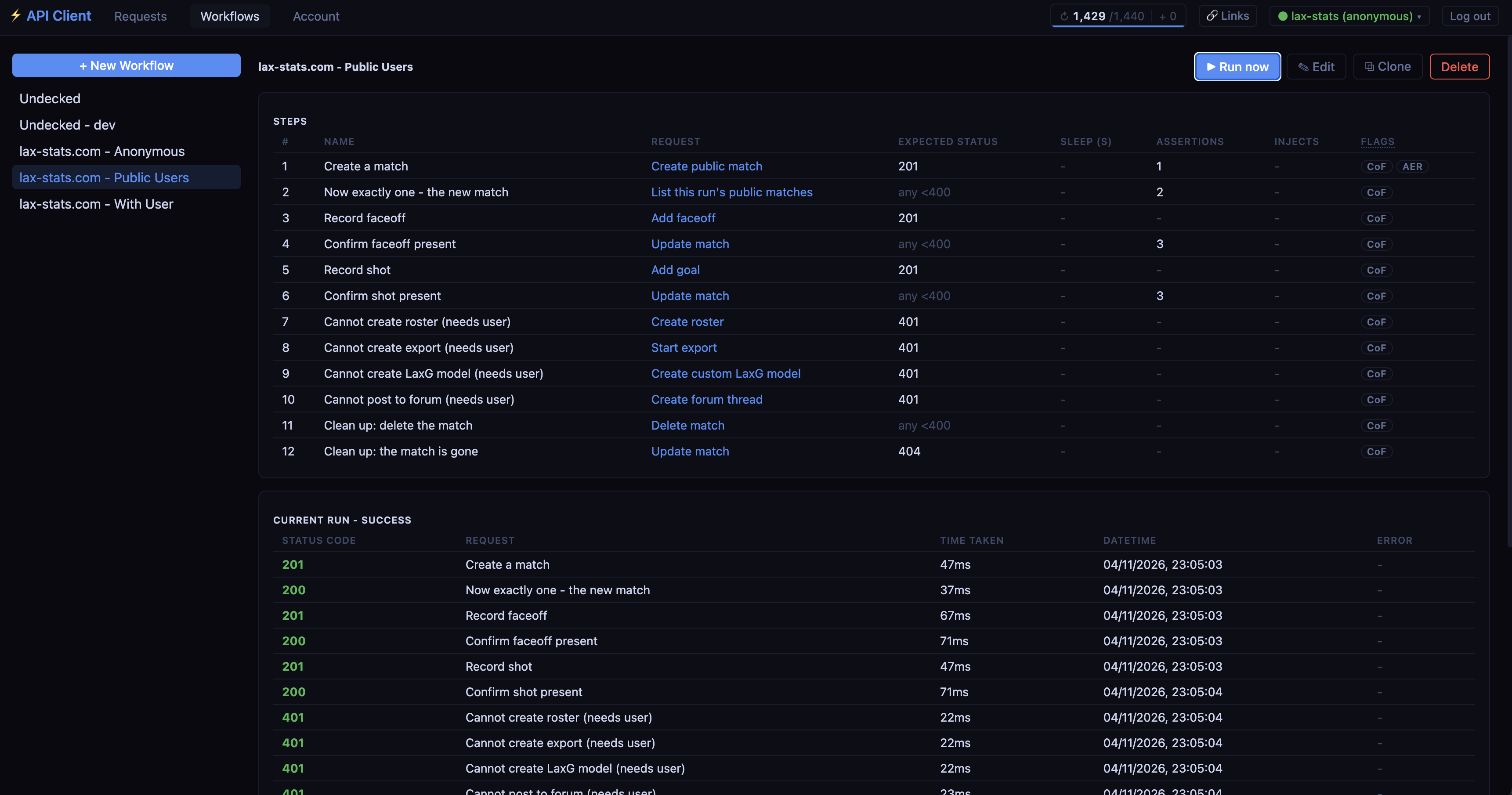
Line up your saved requests into a workflow, and each step hands what it learned to the next: log in, fetch the account, create the order, check the result.
Schedules
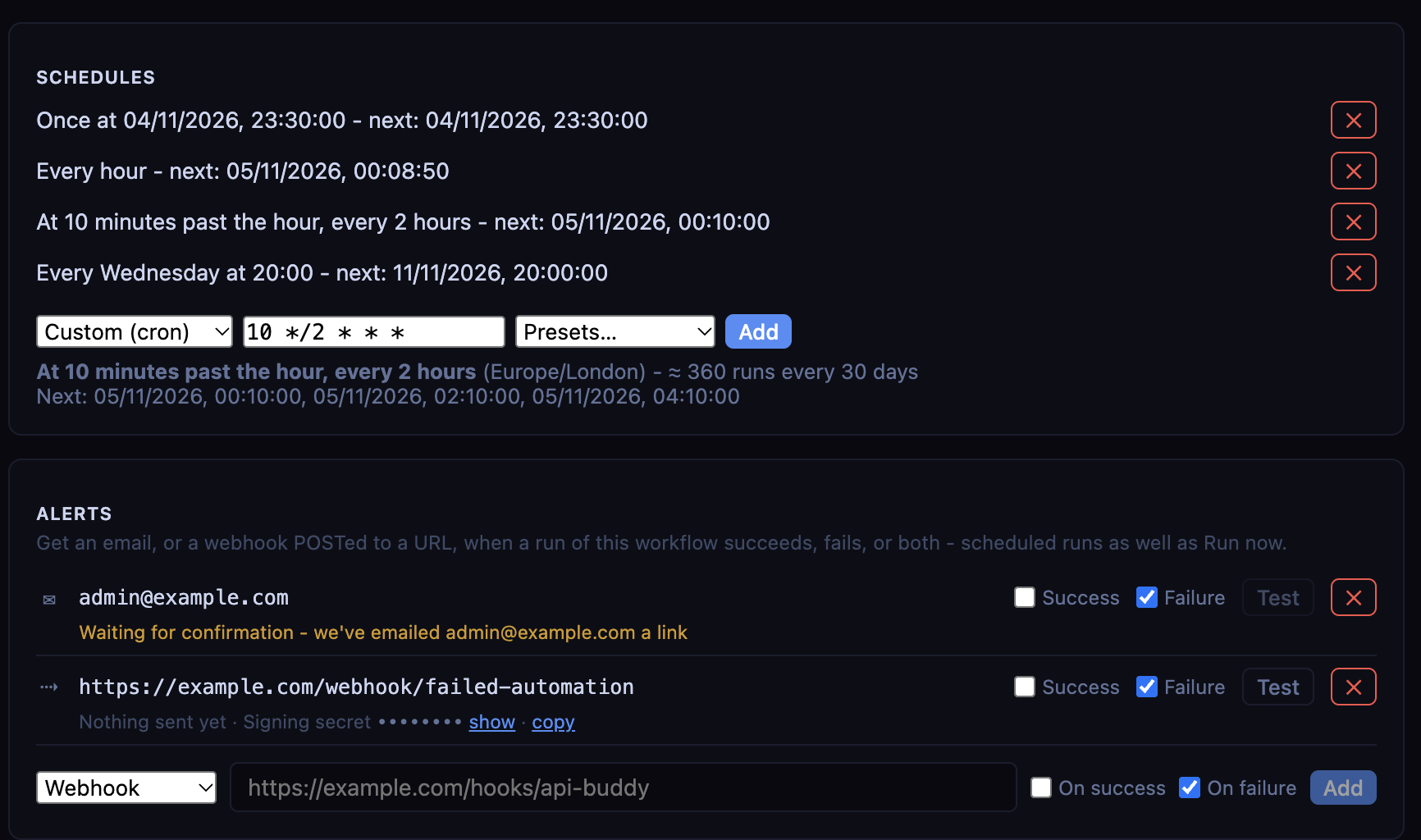
Schedule any workflow and it runs on our servers - while your laptop is closed, overnight, at weekends. It's API monitoring without another tool to learn - and it tells you when something breaks.
Environments
Keep the URLs, keys and IDs that change between environments in variables, and switch which environment is active in a click. Your requests stay exactly the same.
Teams Premium
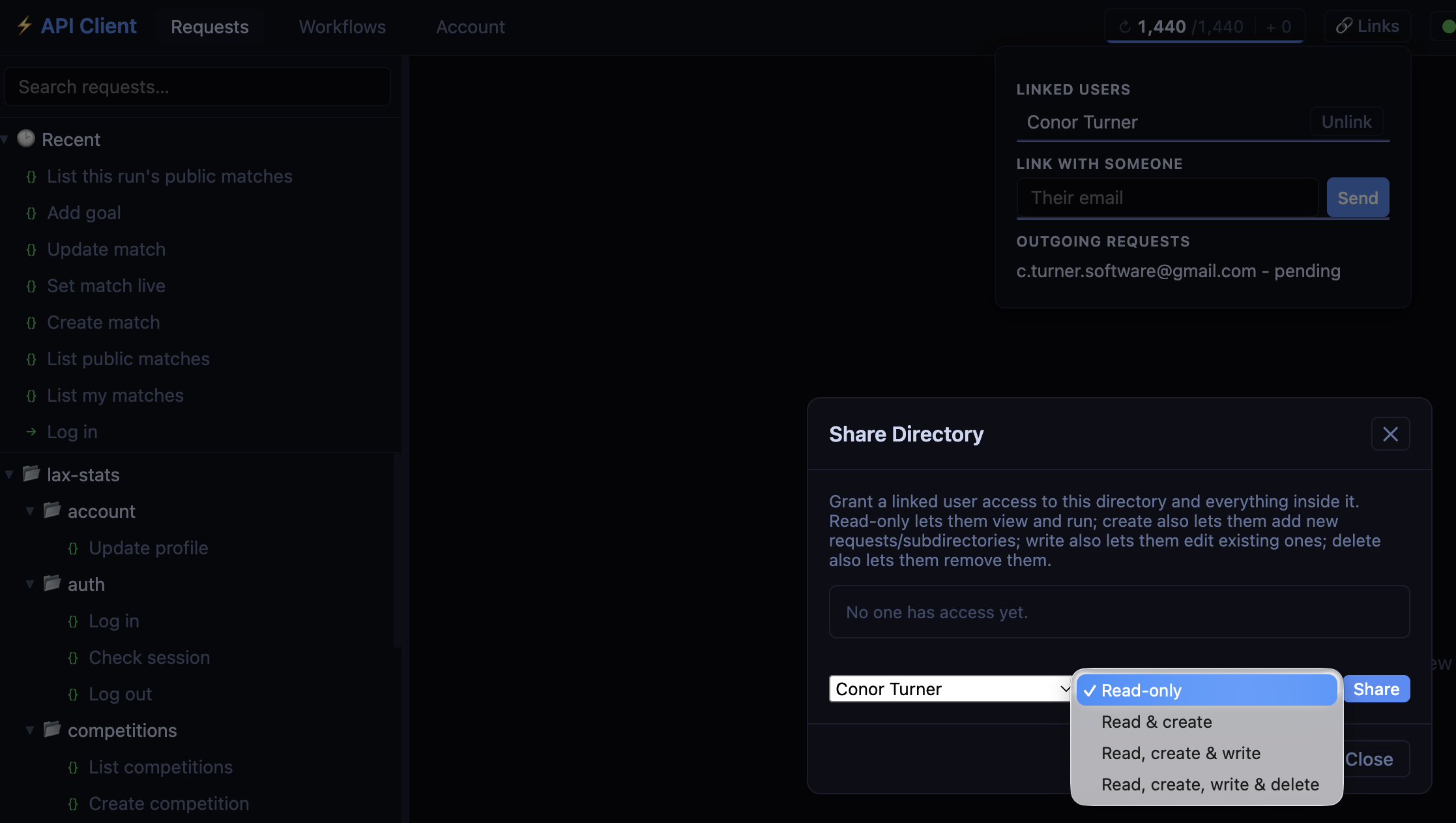
Link your account with your teammates', then share folders of requests and whole environments with them - read-only, or with permission to edit.
How it works
Import an OpenAPI spec in seconds, or pick REST, GraphQL or WebSocket, fill in the URL and body, and hit Send.
Add your saved requests as steps, pull values from one response into the next, and add checks.
Choose when it runs. API Buddy does the rest, and keeps every run's results for you to look back on.
Pricing
Pay once for a year - nothing renews by itself. Start on the free plan and upgrade from inside the app whenever you need more.
£0 forever
Everything you need to start sending and saving requests.
£10 / year
For regular use, with a scheduled workflow doing the dull bits.
£50 / year
No limits on requests or workflows, and sharing with your team.
Every request you send costs one credit - on its own, or as a workflow step - and your balance refills every hour at your plan's rate, up to two hours' worth. Need a burst? Additional credits can be purchased on-demand.
FAQ
An API client that runs in your browser. Build and send REST, GraphQL and WebSocket requests, keep them organised in folders, switch between environments, and chain requests together into workflows that can run on a schedule.
No. API Buddy runs entirely in your web browser, on any operating system - there is nothing to download, and your saved requests are there on any computer you sign in from.
Yes - the Free plan is free forever, with low usage limits for saved requests and run credits an hour. You can also try API Buddy without an account: a guest account is deleted, with everything in it, after 24 hours.
Every request you send costs one credit, whether you send it yourself or it runs as a step in a workflow. Your balance refills continuously at your plan's hourly rate (e.g. 60 credits an hour), up to two hours' worth. If you need more, credit packs never expire, and are only used once your runtime balance has run out.
A workflow runs a series of saved requests in order. Each step can pull values out of its response - from a JSON path, a header, or a regular expression - into variables the next steps use, and can check the response with assertions - a failing step stops the workflow, unless you tell it to carry on. Run a workflow whenever you like, or schedule it every few minutes, hours or days, weekly at a set time, with a cron expression, or once at a date and time. Workflows run on our servers, so they keep going when your laptop is closed.
Yes. Add alerts to any workflow: email addresses, or URLs to send a webhook to - for runs that fail, runs that succeed, or both. Webhooks are signed, so you can check they really came from API Buddy, and an email address other than your own is only sent alerts once its owner confirms it.
Yes - from an OpenAPI 3 or Swagger 2 spec, in JSON or YAML: upload the file, paste it, or give its URL. Each operation becomes a request, in a folder per tag, with an environment holding the base URL and the variables they use. You see exactly what will be created before anything is saved.
Mark a variable as sensitive and its value is never saved: API Buddy asks for it when you run a request, uses it, and blanks it out of the request history and the response. You can also mark a request's responses as sensitive, so they are never stored in its history.
HTTP and GraphQL requests are sent from API Buddy's servers, so the API needs to be reachable from the internet - and browser CORS rules never get in the way. WebSocket connections are made straight from your browser.
Yes, on the Premium plan. Link your account with a teammate's, then give them read-only or edit access to folders of requests and to environments. Requests always use the variables of the account that owns them.
No. Basic (£10) and Premium (£50) are a one-off payment for a year, taken securely by Stripe. Nothing renews automatically - when the year is up, your account moves back to the Free plan unless you choose to buy another year.
If you have used either, you will feel at home. API Buddy runs in your browser with nothing to install, has a free plan, and its workflows run on our servers on a schedule - so the same requests you build by hand can monitor an API around the clock.
Start free in seconds - no card, nothing to install.